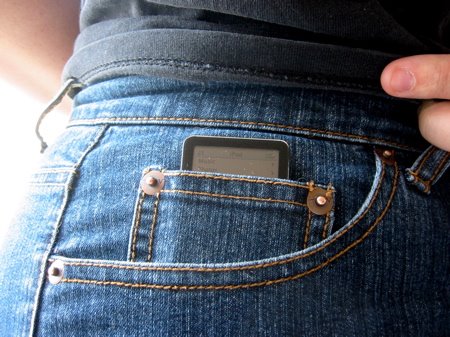
My iPod nano ended its life in a hilarious accident involving my cat and large bodies of water. I wish I had recorded it, that would be my first YouTube hit. Anyway, it was time to shop for a new MP3 player. Years ago when I first bought the iPod, there was really very little decent competition. I suspected by this time it would be much greater, so I took some time exploring the alternatives. Google, Amazon, Wikipedia, and product comparison sites were all completely useless, not too surprisingly (especially Wikipedia - it always sucks at any kind of useful product comparisons), so as the last resort I asked on 4chan. Yes, that's right, I based my purchase on advice of chantards!
And I'm happy to say - Anonymous delivered! Sansa Clip is far better than anything offered by Apple in almost every imaginable way. Let's start from the basics. MP3 players are used for two activities - listening to music (usually on shuffle) and listening to audiobooks and podcasts. iPods are completely oblivious to the second use, which is very different from the first, Sansa Clip on the other hand was built with both uses in mind and it makes a huge difference!
- Shuffle mode on Sansa shuffles only music, not audiobooks. On iPods once you had a single audiobook on it, it broke the shuffle mode and you'd get random book chapters mixed with your music. There was no workaround as far as I know.
- Sansa has option to increase speed of audiobook/podcasts. It uses the simplest algorithm which unfortunately changes their pitch, but it's infinitely less annoying than listening to the realy slow page at which most audiobooks and podcasts proceed. Seriously, it's a huge huge huge feature.
- To connect Sansa Clip to computer a normal mini-B USB cable is used, the same as used with all digital cameras and other small equipment. So you don't need to carry a cable with you when you want to recharge it at work.
- You can simply drag and drop files to the right directories - like Music / Podcasts / Audiobooks. No proprietary software is needed. I might complain less if iTunes didn't suck half as much as it does, but it's the worst music player and music management program I've ever seen in my life. After getting disconnected from a computer Sansa Clip reads ID3 tags from all files, what takes about 30 seconds on 8GB. An annoyance, but far lesser than iTunes.
- In addition to MP3 other useful formats are supported - including OGG Vorbis and FLAC.
- FM radio
- Voice recording
- You don't have to keep it in your pocket, just clip it outside
- And in spite of the tiny form it does has a screen. iPod shuffle is such a retarded idea for anybody who ever plays audiobooks or podcasts, something that Apple completely ignores.
- Sansa's plastic body seems much more durable, my iPod nano was scratched after first week of use, Sansa Clip doesn't have any scratches
- It's a consequence of multiple design choices, but in the end I can adjust volume with separate volume buttons instead of the whole: take out of my pocket, unlock, adjust volume, lock, put back into my pocket ritual that I had to use with iPod nano. As different songs on shuffle will have different volume, this is something that needs to be done a lot, so it should be fast.
- Battery seems to last a lot longer. And as I said if it's ever low, you can recharge it without any special cable.
- It's far cheaper. 8GB Sansa Clip is £48.91 on Amazon, compared to £97.65 for 8GB iPod nano, and £59.00 for iPod shuffle of mere 4GB. In my experience 2GB was annoyingly small for any audiobook use, and 4GB would most likely be rather smallish too. Not that iPod shuffle would be of any use for audiobooks of course.
- You most likely don't care, but it came with one free book of your choice from Audible. Oh yeah, it's just a generic promotional URL, they don't really check if you have the player. And it lasts until tomorrow. So in case you want one free audiobook, just grab it there ;-) You have to give them your credit card details, download one audiobook in this outrageous AA format, and then cancel your subscription. You can probably think of a way to convert it to something nice like MP3 if you need to.
- Display turns itself off when it's not active instead of just turning off backlight. This makes it less useful as an improvised stopwatch than iPod nano.
- Sansa doesn't display current song's total time, only time since it started. Well, now I'm nitpicking.
- iPod's wheel was quite convenient for a few things compared to Sansa's buttons. On the other hand it was triggered very easily and so made locking and unlocking iPod all the time a necessity, and all the most common functions work perfectly on Sansa Clip. So I'd say it's more or less even.
- iPod nano kept partial logs of what was played, so I could use them to feed my last.fm account with my awesome script. I don't know if Sansa Clip keeps any.
EDIT: One problem I had with Sansa Clip, to activate it as an Audible device to work with Audible DRM you need Windows-based Audible Manager. Audible says iTunes can activate Sansa Clip as well, but I couldn't get it working. You only need to activate it once, so it's not a huge deal. In case you didn't know it yet - DRM sucks. Oh well, that one was free, I'm probably unsubscribing anyway, I don't really feel like paying for something that's DRMed even if it's pretty cheap.